Folder WAV
Search your folders, then drag and drop straight into your timeline.
For Mac · macOS 14 Sonoma or newer · Apple Silicon
Search your folders, then drag and drop straight into your timeline.
For Mac · macOS 14 Sonoma or newer · Apple Silicon
How it works
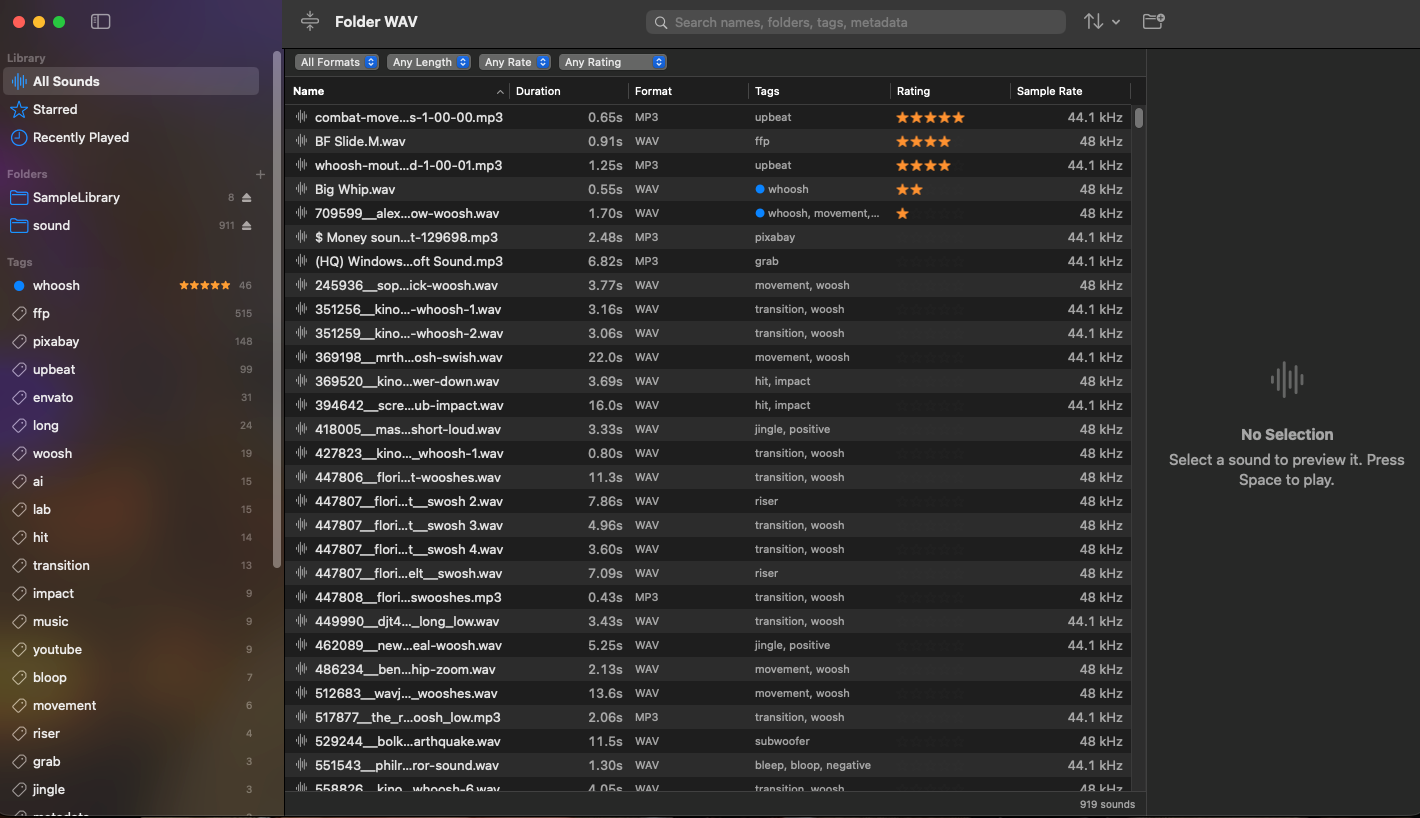
Folder WAV reads the sound folders you already have. Nothing gets copied, moved or renamed.
Drop in your sound effects folders, even on external drives. Folder WAV scans them in seconds.
Type what you need. Press Space to hear it. Use the arrow keys to audition the next one.
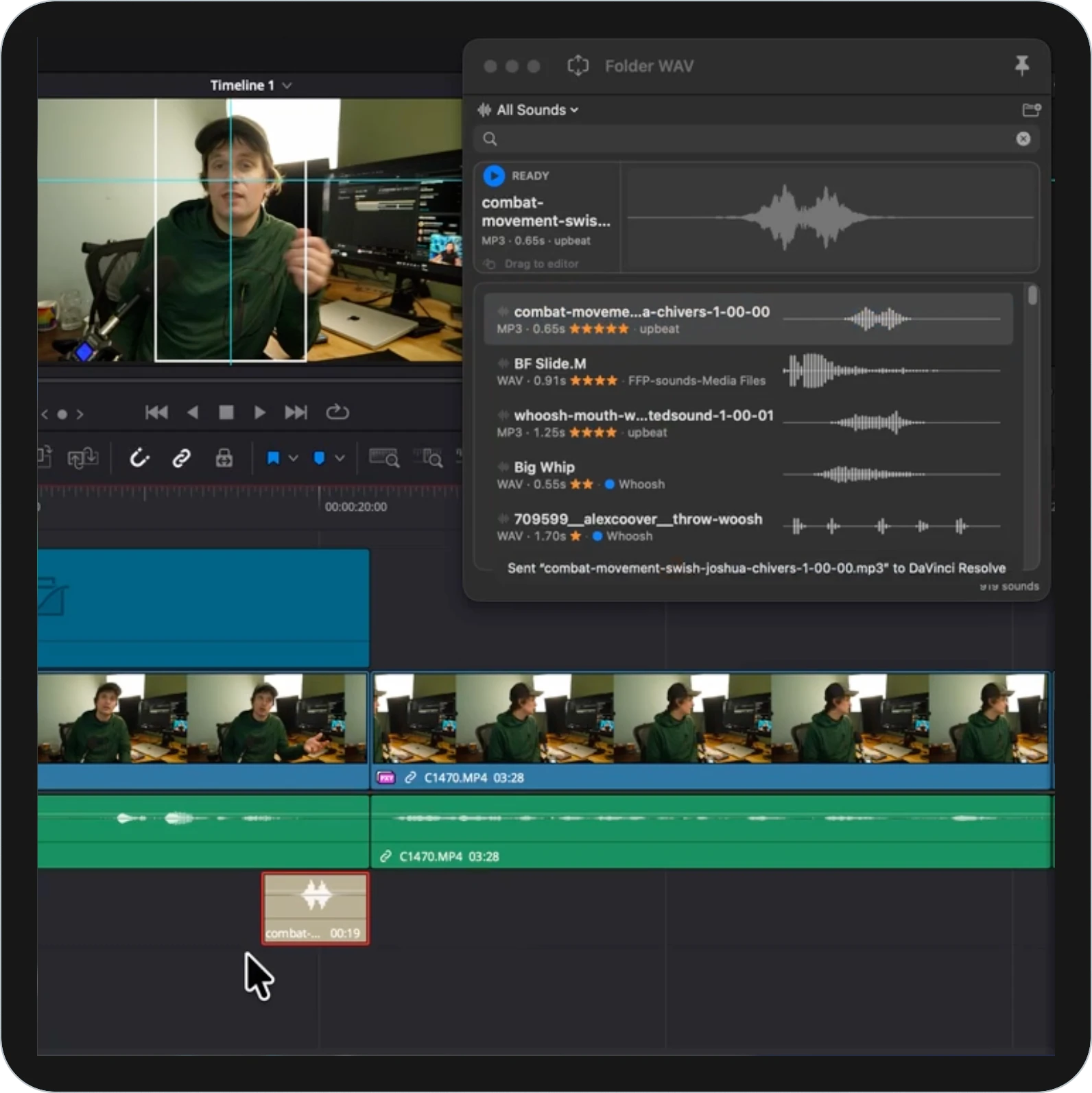
Drag the original file from Folder WAV right into your video editor or DAW timeline.
Features
Search 50,000 sounds faster than you can blink.
Matches file names, folder names, tags and the info stored inside your files, as you type.
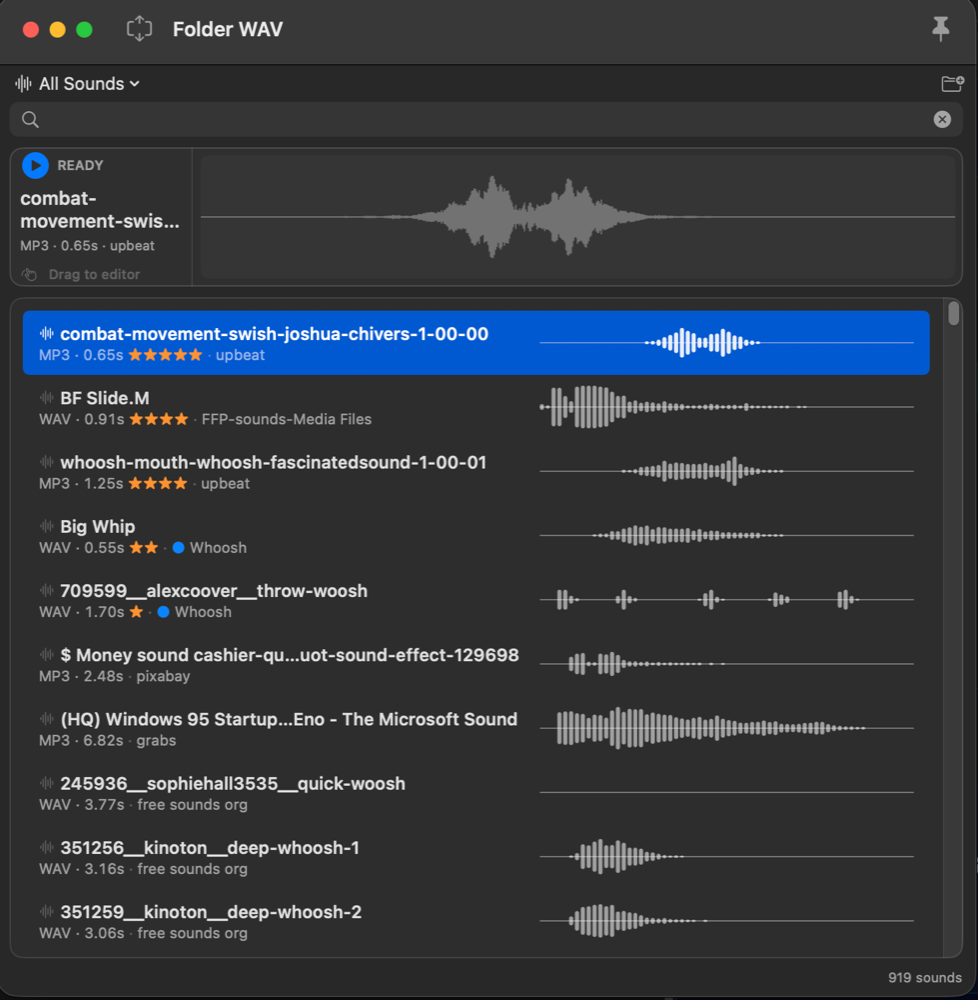
See the shape of every sound before you play it, and click anywhere to jump in.
Tag sounds your way and color-code them. Your folder names become tags automatically too.
Rate your go-to sounds with a keystroke. Your favorites always rise to the top.
Add, rename or move files in Finder and your library keeps up. Tags and ratings follow along.
Eject a folder or a whole drive, plug it back in later, and pick up right where you left off.
Each sound remembers when you used it and which app you dragged it into.
Reads the formats sound libraries come in, including the details pro libraries embed.
Folder WAV never moves, renames or changes your audio. Ever.
Compact Mode
Press Shift-Command-M and Folder WAV shrinks into a slim panel that floats over your editor.
Tutorial
A quick look at searching, previewing and dragging sounds into your edit.
Pricing
macOS 14 Sonoma or newer · Apple Silicon (M1 or later)
FAQ
No. Folder WAV only reads your files. It never moves, renames, copies or edits them. When you drag a sound into your editor, the editor gets the original file.
Macs with Apple Silicon (M1, M2, M3, M4 and newer) running macOS 14 Sonoma or later. Intel Macs aren't supported.
Tested and working in DaVinci Resolve. Folder WAV hands over the original file the standard Mac way, the same as dragging from a Finder window, so it also works with other apps that accept files dragged in from Finder.
Yes. You can eject a drive's folders from the app and unplug it. Plug it back in and your tags, ratings and history are all still there.
You pay once and get a license key by email. Enter it in the app to unlock it.
Email us within 14 days of buying for a full refund. See the refund policy.